Generate image drafts from prompts, review the output in Codibu image mode, then refine or reuse visuals in your website and marketing workflow. Results should be reviewed before publishing.
Generated examples
Prompt-to-image results for inspiration — not product UI screenshots.

Coffee hero
warm commercial

Clinic room
clean interior
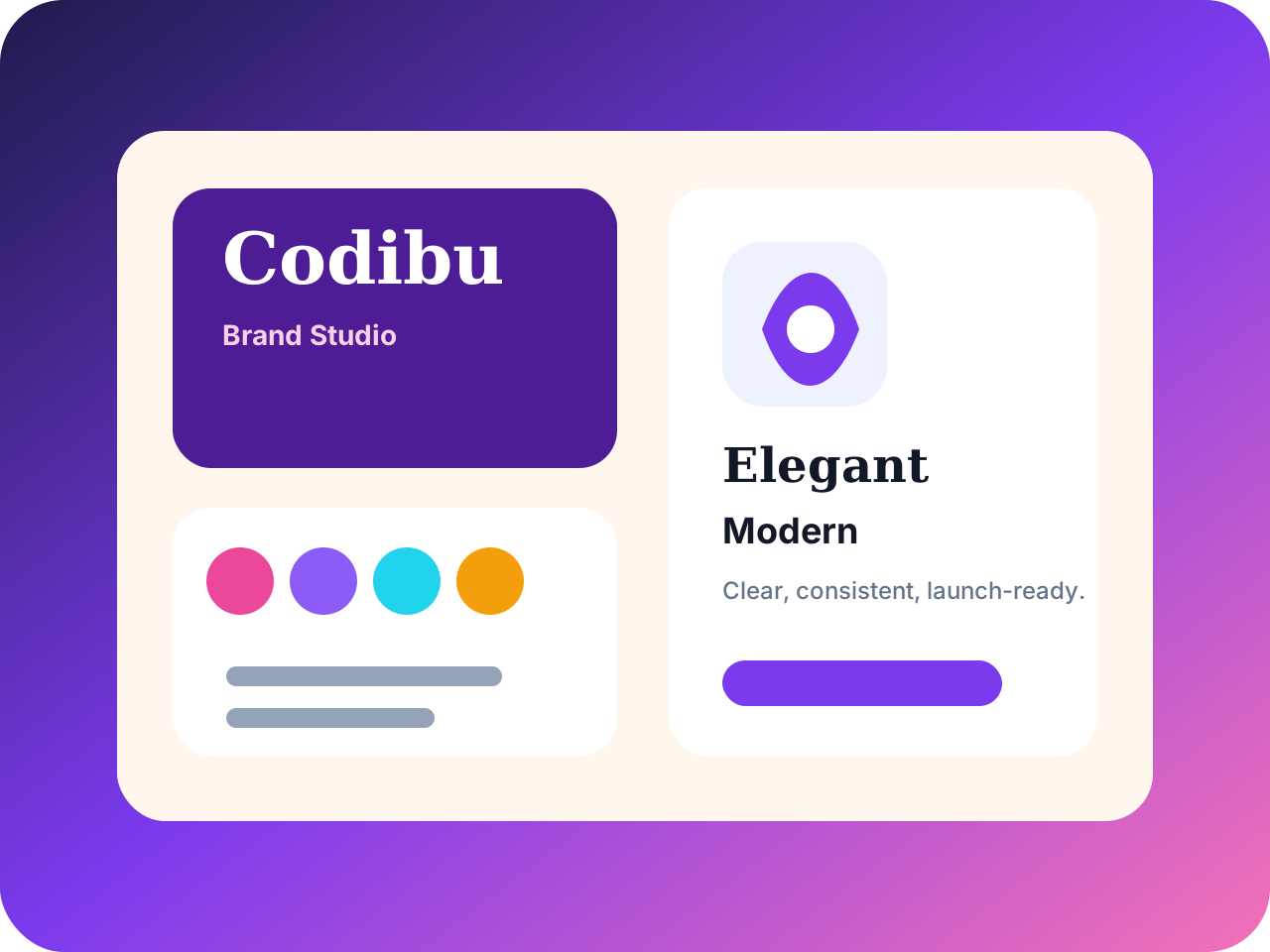
Skincare set
premium product

Menu table
restaurant story
Assets you can download and reuse—not watermarked placeholders.
Generated images
Hero shots, product visuals, and campaign art from prompts.
Edits and fixes
Background removal, recolor, and prompt-based refinements in image edit mode — review before reuse.
Variations
Multiple takes on the same concept with refined prompts.
Aspect ratios
Square, portrait, landscape, and ad sizes for each channel.
Downloads
Export PNGs for web, social, and print workflows.
Generate fresh frames, edit what you already have, or branch into variations — each lane keeps the same project context.
Generate
Text-to-image for heroes, products, ads, and social crops — start from a prompt or a chip.
Edit
Fix the same frame in image edit mode — background, color, and prompt-based refinements without another app.
Variations
Branch from a winner with tighter prompts and alternate crops — composite blending is planned.
Most projects follow the same four beats — you can loop back at any step.
Generate
Describe where the image goes, the mood, and must-haves. Codibu returns a first batch of options.
Refine
Pick the closest frame, tighten the prompt, or ask for more variations before you commit.
Edit
Remove backgrounds, swap colors, or refine sections in image edit mode — review each change before saving.
Export
Save to your gallery when ready, then reuse on pages, ads, or social — same crop and palette after you approve.
Same workflow — different prompts. Start from an industry that matches yours.
Restaurant menu concepts
Table spreads and dish heroes for menus, delivery apps, and local landing pages.
Beauty product visuals
Pack shots and soft-light product stills for skincare, salon, and spa campaigns.
Clinic & service landing visuals
Trust-building team and room shots for dental, med-spa, and local service pages.
E-commerce background concepts
Product-on-background drafts for Shopify grids, marketplaces, and paid social ads.
Dial in the frame before you publish — review output quality and brand fit, not after a crop fight in another app.
Prompt
Lead with placement, subject, lighting, and palette. Codibu carries edits forward in the same thread.
Reference image
Upload a product, person, or scene so generations stay closer to what you already have.
Aspect ratio
Pick hero wides, square cards, story crops, or ad placements before you generate.
Export
Download web-ready files or save to your Codibu gallery — review before use on live pages or ads.
Start here for new heroes, product shots, and campaign art from a text brief.
Hero banners
Wide top-of-page art with room for headline and button.
Product photos
Clean shots that look like your brand—not a marketplace template.
Service category images
People, place, or outcome—shows what you sell at a glance.
Social ad visuals
Bold crops for the placements you actually buy.
Blog and landing graphics
Headers and spots that match your page grid.
Seasonal campaign images
Promos with one palette and one tone.
Saved outputs / result grid
Image mode with prompt, options, and generated tiles — actual Codibu workspace chrome.

Stock looks like everyone else. Generated drafts start from your brief — review before you publish.
AI
Your brand colors
vs
Stock
Random palette
AI
Unique frame
vs
Stock
Same photo your competitor uses
AI
Quick revisions
vs
Stock
Hours of searching
AI
Composed for your layout
vs
Stock
Awkward crop
AI
Directed by your prompt
vs
Stock
License limits
Prompt-to-image results
Style examples from prompts — tap a chip above or copy a caption, then edit for your business.

Generated example
Artisan coffee hero
Warm interior · wide crop
Wide hero banner for artisan coffee shop, warm interior lighting, wooden counter, latte art, cozy premium brand atmosphere, commercial photography.

Generated example
Dental clinic hero
Healthcare · trustworthy blue
Friendly modern dental clinic hero image, dentist and patient smiling naturally, bright clean clinic interior, trustworthy blue accent, professional healthcare marketing.

Generated example
Skincare product
Wellness · soft daylight
Luxury organic skincare product photo, glass bottle on stone, botanical leaves, soft sunlight, calm wellness look.

Generated example
Korean restaurant
Food · editorial table
Modern Korean restaurant food table, grilled meat, side dishes, warm lighting, editorial food photography, website banner composition.
Keep the frame you like — fix backgrounds, colors, and details without regenerating from scratch.
Open image edit mode and describe the change in plain language — background removal, recolor, and section refinements. Review each result before saving.
Product UI screenshot

Remove the background
Clean cut-out with an optional contact shadow — useful for product cards, hero cut-outs, and ad creatives.
Recolor an object
"Change the sofa to navy" or "make the dress emerald" — color swaps that respect texture and shading.
Refine a section
Tighten a face, calm a wrinkle, smooth a product surface without losing the photo's character.
Replace an object
Swap a sign, a coffee cup, or a bag for something more on-brand — keep the lighting and angle consistent.
PlannedExtend the canvas
Outpaint a hero wider for a banner — planned; use generate + crop today.
PlannedRestyle the mood
Shift palette or grain in one pass — planned; iterate with prompts for now.
Branch from a winner with tighter prompts and alternate crops. Reference compositing is planned.
Combine a subject and a scene into one frame — planned. Today, generate variations or edit a single image in image mode.
Planned
Planned · Generated example

Generated example

Generated example
→

Generated example

Generated example
Product in a scene
Pair a clean product shot with a lifestyle backdrop you couldn't stage in person.

Generated example
Person on a backdrop
Drop a portrait into a different setting — office, street, studio — while preserving lighting cues.

Generated example
Apparel on a model
Show a flat-lay garment as if it's being worn, using a model reference for pose and proportion.

Generated example
Object in an interior
Place furniture, fixtures, or decor into a target room without staging or 3D rendering.
When you're ready, take the next step.
Turn this into a live project in your account.
Use images on your website, in Social Poster, or as stills for AI Video.
Screens from the Codibu workspace — draft, review, and export states you will use in your project.
Image mode workspace
Prompt · options · results
The Codibu image mode screen — composer, mode tabs, and result area. Not a standalone AI output mock.

Edit and variation tools
Selected image · edit controls
Image edit mode with prompt-based fixes and preview — review changes before you save or reuse.
Generate image drafts from prompts, review the output in Codibu image mode, then refine or reuse visuals in your website and marketing workflow. Results should be reviewed before publishing.
Generated examples
Prompt-to-image results for inspiration — not product UI screenshots.

Coffee hero
warm commercial

Clinic room
clean interior

Skincare set
premium product

Menu table
restaurant story
Assets you can download and reuse—not watermarked placeholders.
Generated images
Hero shots, product visuals, and campaign art from prompts.
Edits and fixes
Background removal, recolor, and prompt-based refinements in image edit mode — review before reuse.
Variations
Multiple takes on the same concept with refined prompts.
Aspect ratios
Square, portrait, landscape, and ad sizes for each channel.
Downloads
Export PNGs for web, social, and print workflows.
Generate fresh frames, edit what you already have, or branch into variations — each lane keeps the same project context.
Generate
Text-to-image for heroes, products, ads, and social crops — start from a prompt or a chip.
Edit
Fix the same frame in image edit mode — background, color, and prompt-based refinements without another app.
Variations
Branch from a winner with tighter prompts and alternate crops — composite blending is planned.
Most projects follow the same four beats — you can loop back at any step.
Generate
Describe where the image goes, the mood, and must-haves. Codibu returns a first batch of options.
Refine
Pick the closest frame, tighten the prompt, or ask for more variations before you commit.
Edit
Remove backgrounds, swap colors, or refine sections in image edit mode — review each change before saving.
Export
Save to your gallery when ready, then reuse on pages, ads, or social — same crop and palette after you approve.
Same workflow — different prompts. Start from an industry that matches yours.
Restaurant menu concepts
Table spreads and dish heroes for menus, delivery apps, and local landing pages.
Beauty product visuals
Pack shots and soft-light product stills for skincare, salon, and spa campaigns.
Clinic & service landing visuals
Trust-building team and room shots for dental, med-spa, and local service pages.
E-commerce background concepts
Product-on-background drafts for Shopify grids, marketplaces, and paid social ads.
Dial in the frame before you publish — review output quality and brand fit, not after a crop fight in another app.
Prompt
Lead with placement, subject, lighting, and palette. Codibu carries edits forward in the same thread.
Reference image
Upload a product, person, or scene so generations stay closer to what you already have.
Aspect ratio
Pick hero wides, square cards, story crops, or ad placements before you generate.
Export
Download web-ready files or save to your Codibu gallery — review before use on live pages or ads.
Start here for new heroes, product shots, and campaign art from a text brief.
Hero banners
Wide top-of-page art with room for headline and button.
Product photos
Clean shots that look like your brand—not a marketplace template.
Service category images
People, place, or outcome—shows what you sell at a glance.
Social ad visuals
Bold crops for the placements you actually buy.
Blog and landing graphics
Headers and spots that match your page grid.
Seasonal campaign images
Promos with one palette and one tone.
Saved outputs / result grid
Image mode with prompt, options, and generated tiles — actual Codibu workspace chrome.

Stock looks like everyone else. Generated drafts start from your brief — review before you publish.
AI
Your brand colors
vs
Stock
Random palette
AI
Unique frame
vs
Stock
Same photo your competitor uses
AI
Quick revisions
vs
Stock
Hours of searching
AI
Composed for your layout
vs
Stock
Awkward crop
AI
Directed by your prompt
vs
Stock
License limits
Prompt-to-image results
Style examples from prompts — tap a chip above or copy a caption, then edit for your business.

Generated example
Artisan coffee hero
Warm interior · wide crop
Wide hero banner for artisan coffee shop, warm interior lighting, wooden counter, latte art, cozy premium brand atmosphere, commercial photography.

Generated example
Dental clinic hero
Healthcare · trustworthy blue
Friendly modern dental clinic hero image, dentist and patient smiling naturally, bright clean clinic interior, trustworthy blue accent, professional healthcare marketing.

Generated example
Skincare product
Wellness · soft daylight
Luxury organic skincare product photo, glass bottle on stone, botanical leaves, soft sunlight, calm wellness look.

Generated example
Korean restaurant
Food · editorial table
Modern Korean restaurant food table, grilled meat, side dishes, warm lighting, editorial food photography, website banner composition.
Keep the frame you like — fix backgrounds, colors, and details without regenerating from scratch.
Open image edit mode and describe the change in plain language — background removal, recolor, and section refinements. Review each result before saving.
Product UI screenshot

Remove the background
Clean cut-out with an optional contact shadow — useful for product cards, hero cut-outs, and ad creatives.
Recolor an object
"Change the sofa to navy" or "make the dress emerald" — color swaps that respect texture and shading.
Refine a section
Tighten a face, calm a wrinkle, smooth a product surface without losing the photo's character.
Replace an object
Swap a sign, a coffee cup, or a bag for something more on-brand — keep the lighting and angle consistent.
PlannedExtend the canvas
Outpaint a hero wider for a banner — planned; use generate + crop today.
PlannedRestyle the mood
Shift palette or grain in one pass — planned; iterate with prompts for now.
Branch from a winner with tighter prompts and alternate crops. Reference compositing is planned.
Combine a subject and a scene into one frame — planned. Today, generate variations or edit a single image in image mode.
Planned
Planned · Generated example

Generated example

Generated example
→

Generated example

Generated example
Product in a scene
Pair a clean product shot with a lifestyle backdrop you couldn't stage in person.

Generated example
Person on a backdrop
Drop a portrait into a different setting — office, street, studio — while preserving lighting cues.

Generated example
Apparel on a model
Show a flat-lay garment as if it's being worn, using a model reference for pose and proportion.

Generated example
Object in an interior
Place furniture, fixtures, or decor into a target room without staging or 3D rendering.
When you're ready, take the next step.
Turn this into a live project in your account.
Use images on your website, in Social Poster, or as stills for AI Video.
Screens from the Codibu workspace — draft, review, and export states you will use in your project.

Image mode workspace
Prompt · options · results
The Codibu image mode screen — composer, mode tabs, and result area. Not a standalone AI output mock.

Edit and variation tools
Selected image · edit controls
Image edit mode with prompt-based fixes and preview — review changes before you save or reuse.
Generate image drafts from prompts, review the output in Codibu image mode, then refine or reuse visuals in your website and marketing workflow. Results should be reviewed before publishing.
Generated examples
Prompt-to-image results for inspiration — not product UI screenshots.

Coffee hero
warm commercial

Clinic room
clean interior

Skincare set
premium product

Menu table
restaurant story
Assets you can download and reuse—not watermarked placeholders.
Generated images
Hero shots, product visuals, and campaign art from prompts.
Edits and fixes
Background removal, recolor, and prompt-based refinements in image edit mode — review before reuse.
Variations
Multiple takes on the same concept with refined prompts.
Aspect ratios
Square, portrait, landscape, and ad sizes for each channel.
Downloads
Export PNGs for web, social, and print workflows.
Generate fresh frames, edit what you already have, or branch into variations — each lane keeps the same project context.
Generate
Text-to-image for heroes, products, ads, and social crops — start from a prompt or a chip.
Edit
Fix the same frame in image edit mode — background, color, and prompt-based refinements without another app.
Variations
Branch from a winner with tighter prompts and alternate crops — composite blending is planned.
Most projects follow the same four beats — you can loop back at any step.
Generate
Describe where the image goes, the mood, and must-haves. Codibu returns a first batch of options.
Refine
Pick the closest frame, tighten the prompt, or ask for more variations before you commit.
Edit
Remove backgrounds, swap colors, or refine sections in image edit mode — review each change before saving.
Export
Save to your gallery when ready, then reuse on pages, ads, or social — same crop and palette after you approve.
Same workflow — different prompts. Start from an industry that matches yours.
Restaurant menu concepts
Table spreads and dish heroes for menus, delivery apps, and local landing pages.
Beauty product visuals
Pack shots and soft-light product stills for skincare, salon, and spa campaigns.
Clinic & service landing visuals
Trust-building team and room shots for dental, med-spa, and local service pages.
E-commerce background concepts
Product-on-background drafts for Shopify grids, marketplaces, and paid social ads.
Dial in the frame before you publish — review output quality and brand fit, not after a crop fight in another app.
Prompt
Lead with placement, subject, lighting, and palette. Codibu carries edits forward in the same thread.
Reference image
Upload a product, person, or scene so generations stay closer to what you already have.
Aspect ratio
Pick hero wides, square cards, story crops, or ad placements before you generate.
Export
Download web-ready files or save to your Codibu gallery — review before use on live pages or ads.
Start here for new heroes, product shots, and campaign art from a text brief.
Hero banners
Wide top-of-page art with room for headline and button.
Product photos
Clean shots that look like your brand—not a marketplace template.
Service category images
People, place, or outcome—shows what you sell at a glance.
Social ad visuals
Bold crops for the placements you actually buy.
Blog and landing graphics
Headers and spots that match your page grid.
Seasonal campaign images
Promos with one palette and one tone.
Saved outputs / result grid
Image mode with prompt, options, and generated tiles — actual Codibu workspace chrome.

Stock looks like everyone else. Generated drafts start from your brief — review before you publish.
AI
Your brand colors
vs
Stock
Random palette
AI
Unique frame
vs
Stock
Same photo your competitor uses
AI
Quick revisions
vs
Stock
Hours of searching
AI
Composed for your layout
vs
Stock
Awkward crop
AI
Directed by your prompt
vs
Stock
License limits
Prompt-to-image results
Style examples from prompts — tap a chip above or copy a caption, then edit for your business.

Generated example
Artisan coffee hero
Warm interior · wide crop
Wide hero banner for artisan coffee shop, warm interior lighting, wooden counter, latte art, cozy premium brand atmosphere, commercial photography.

Generated example
Dental clinic hero
Healthcare · trustworthy blue
Friendly modern dental clinic hero image, dentist and patient smiling naturally, bright clean clinic interior, trustworthy blue accent, professional healthcare marketing.

Generated example
Skincare product
Wellness · soft daylight
Luxury organic skincare product photo, glass bottle on stone, botanical leaves, soft sunlight, calm wellness look.

Generated example
Korean restaurant
Food · editorial table
Modern Korean restaurant food table, grilled meat, side dishes, warm lighting, editorial food photography, website banner composition.
Keep the frame you like — fix backgrounds, colors, and details without regenerating from scratch.
Open image edit mode and describe the change in plain language — background removal, recolor, and section refinements. Review each result before saving.
Product UI screenshot

Remove the background
Clean cut-out with an optional contact shadow — useful for product cards, hero cut-outs, and ad creatives.
Recolor an object
"Change the sofa to navy" or "make the dress emerald" — color swaps that respect texture and shading.
Refine a section
Tighten a face, calm a wrinkle, smooth a product surface without losing the photo's character.
Replace an object
Swap a sign, a coffee cup, or a bag for something more on-brand — keep the lighting and angle consistent.
PlannedExtend the canvas
Outpaint a hero wider for a banner — planned; use generate + crop today.
PlannedRestyle the mood
Shift palette or grain in one pass — planned; iterate with prompts for now.
Branch from a winner with tighter prompts and alternate crops. Reference compositing is planned.
Combine a subject and a scene into one frame — planned. Today, generate variations or edit a single image in image mode.
Planned
Planned · Generated example

Generated example

Generated example
→

Generated example

Generated example
Product in a scene
Pair a clean product shot with a lifestyle backdrop you couldn't stage in person.

Generated example
Person on a backdrop
Drop a portrait into a different setting — office, street, studio — while preserving lighting cues.

Generated example
Apparel on a model
Show a flat-lay garment as if it's being worn, using a model reference for pose and proportion.

Generated example
Object in an interior
Place furniture, fixtures, or decor into a target room without staging or 3D rendering.
When you're ready, take the next step.
Turn this into a live project in your account.
Use images on your website, in Social Poster, or as stills for AI Video.
Screens from the Codibu workspace — draft, review, and export states you will use in your project.

Image mode workspace
Prompt · options · results
The Codibu image mode screen — composer, mode tabs, and result area. Not a standalone AI output mock.

Edit and variation tools
Selected image · edit controls
Image edit mode with prompt-based fixes and preview — review changes before you save or reuse.
Generate image drafts from prompts, review the output in Codibu image mode, then refine or reuse visuals in your website and marketing workflow. Results should be reviewed before publishing.
Generated examples
Prompt-to-image results for inspiration — not product UI screenshots.

Coffee hero
warm commercial

Clinic room
clean interior

Skincare set
premium product

Menu table
restaurant story
Assets you can download and reuse—not watermarked placeholders.
Generated images
Hero shots, product visuals, and campaign art from prompts.
Edits and fixes
Background removal, recolor, and prompt-based refinements in image edit mode — review before reuse.
Variations
Multiple takes on the same concept with refined prompts.
Aspect ratios
Square, portrait, landscape, and ad sizes for each channel.
Downloads
Export PNGs for web, social, and print workflows.
Generate fresh frames, edit what you already have, or branch into variations — each lane keeps the same project context.
Generate
Text-to-image for heroes, products, ads, and social crops — start from a prompt or a chip.
Edit
Fix the same frame in image edit mode — background, color, and prompt-based refinements without another app.
Variations
Branch from a winner with tighter prompts and alternate crops — composite blending is planned.
Most projects follow the same four beats — you can loop back at any step.
Generate
Describe where the image goes, the mood, and must-haves. Codibu returns a first batch of options.
Refine
Pick the closest frame, tighten the prompt, or ask for more variations before you commit.
Edit
Remove backgrounds, swap colors, or refine sections in image edit mode — review each change before saving.
Export
Save to your gallery when ready, then reuse on pages, ads, or social — same crop and palette after you approve.
Same workflow — different prompts. Start from an industry that matches yours.
Restaurant menu concepts
Table spreads and dish heroes for menus, delivery apps, and local landing pages.
Beauty product visuals
Pack shots and soft-light product stills for skincare, salon, and spa campaigns.
Clinic & service landing visuals
Trust-building team and room shots for dental, med-spa, and local service pages.
E-commerce background concepts
Product-on-background drafts for Shopify grids, marketplaces, and paid social ads.
Dial in the frame before you publish — review output quality and brand fit, not after a crop fight in another app.
Prompt
Lead with placement, subject, lighting, and palette. Codibu carries edits forward in the same thread.
Reference image
Upload a product, person, or scene so generations stay closer to what you already have.
Aspect ratio
Pick hero wides, square cards, story crops, or ad placements before you generate.
Export
Download web-ready files or save to your Codibu gallery — review before use on live pages or ads.
Start here for new heroes, product shots, and campaign art from a text brief.
Hero banners
Wide top-of-page art with room for headline and button.
Product photos
Clean shots that look like your brand—not a marketplace template.
Service category images
People, place, or outcome—shows what you sell at a glance.
Social ad visuals
Bold crops for the placements you actually buy.
Blog and landing graphics
Headers and spots that match your page grid.
Seasonal campaign images
Promos with one palette and one tone.
Saved outputs / result grid
Image mode with prompt, options, and generated tiles — actual Codibu workspace chrome.

Stock looks like everyone else. Generated drafts start from your brief — review before you publish.
AI
Your brand colors
vs
Stock
Random palette
AI
Unique frame
vs
Stock
Same photo your competitor uses
AI
Quick revisions
vs
Stock
Hours of searching
AI
Composed for your layout
vs
Stock
Awkward crop
AI
Directed by your prompt
vs
Stock
License limits
Prompt-to-image results
Style examples from prompts — tap a chip above or copy a caption, then edit for your business.

Generated example
Artisan coffee hero
Warm interior · wide crop
Wide hero banner for artisan coffee shop, warm interior lighting, wooden counter, latte art, cozy premium brand atmosphere, commercial photography.

Generated example
Dental clinic hero
Healthcare · trustworthy blue
Friendly modern dental clinic hero image, dentist and patient smiling naturally, bright clean clinic interior, trustworthy blue accent, professional healthcare marketing.

Generated example
Skincare product
Wellness · soft daylight
Luxury organic skincare product photo, glass bottle on stone, botanical leaves, soft sunlight, calm wellness look.

Generated example
Korean restaurant
Food · editorial table
Modern Korean restaurant food table, grilled meat, side dishes, warm lighting, editorial food photography, website banner composition.
Keep the frame you like — fix backgrounds, colors, and details without regenerating from scratch.
Open image edit mode and describe the change in plain language — background removal, recolor, and section refinements. Review each result before saving.
Product UI screenshot

Remove the background
Clean cut-out with an optional contact shadow — useful for product cards, hero cut-outs, and ad creatives.
Recolor an object
"Change the sofa to navy" or "make the dress emerald" — color swaps that respect texture and shading.
Refine a section
Tighten a face, calm a wrinkle, smooth a product surface without losing the photo's character.
Replace an object
Swap a sign, a coffee cup, or a bag for something more on-brand — keep the lighting and angle consistent.
PlannedExtend the canvas
Outpaint a hero wider for a banner — planned; use generate + crop today.
PlannedRestyle the mood
Shift palette or grain in one pass — planned; iterate with prompts for now.
Branch from a winner with tighter prompts and alternate crops. Reference compositing is planned.
Combine a subject and a scene into one frame — planned. Today, generate variations or edit a single image in image mode.
Planned
Planned · Generated example

Generated example

Generated example
→

Generated example

Generated example
Product in a scene
Pair a clean product shot with a lifestyle backdrop you couldn't stage in person.

Generated example
Person on a backdrop
Drop a portrait into a different setting — office, street, studio — while preserving lighting cues.

Generated example
Apparel on a model
Show a flat-lay garment as if it's being worn, using a model reference for pose and proportion.

Generated example
Object in an interior
Place furniture, fixtures, or decor into a target room without staging or 3D rendering.
When you're ready, take the next step.
Turn this into a live project in your account.
Use images on your website, in Social Poster, or as stills for AI Video.
Screens from the Codibu workspace — draft, review, and export states you will use in your project.

Image mode workspace
Prompt · options · results
The Codibu image mode screen — composer, mode tabs, and result area. Not a standalone AI output mock.

Edit and variation tools
Selected image · edit controls
Image edit mode with prompt-based fixes and preview — review changes before you save or reuse.
Generate image drafts from prompts, review the output in Codibu image mode, then refine or reuse visuals in your website and marketing workflow. Results should be reviewed before publishing.
Generated examples
Prompt-to-image results for inspiration — not product UI screenshots.

Coffee hero
warm commercial

Clinic room
clean interior

Skincare set
premium product

Menu table
restaurant story
Assets you can download and reuse—not watermarked placeholders.
Generated images
Hero shots, product visuals, and campaign art from prompts.
Edits and fixes
Background removal, recolor, and prompt-based refinements in image edit mode — review before reuse.
Variations
Multiple takes on the same concept with refined prompts.
Aspect ratios
Square, portrait, landscape, and ad sizes for each channel.
Downloads
Export PNGs for web, social, and print workflows.
Generate fresh frames, edit what you already have, or branch into variations — each lane keeps the same project context.
Generate
Text-to-image for heroes, products, ads, and social crops — start from a prompt or a chip.
Edit
Fix the same frame in image edit mode — background, color, and prompt-based refinements without another app.
Variations
Branch from a winner with tighter prompts and alternate crops — composite blending is planned.
Most projects follow the same four beats — you can loop back at any step.
Generate
Describe where the image goes, the mood, and must-haves. Codibu returns a first batch of options.
Refine
Pick the closest frame, tighten the prompt, or ask for more variations before you commit.
Edit
Remove backgrounds, swap colors, or refine sections in image edit mode — review each change before saving.
Export
Save to your gallery when ready, then reuse on pages, ads, or social — same crop and palette after you approve.
Same workflow — different prompts. Start from an industry that matches yours.
Restaurant menu concepts
Table spreads and dish heroes for menus, delivery apps, and local landing pages.
Beauty product visuals
Pack shots and soft-light product stills for skincare, salon, and spa campaigns.
Clinic & service landing visuals
Trust-building team and room shots for dental, med-spa, and local service pages.
E-commerce background concepts
Product-on-background drafts for Shopify grids, marketplaces, and paid social ads.
Dial in the frame before you publish — review output quality and brand fit, not after a crop fight in another app.
Prompt
Lead with placement, subject, lighting, and palette. Codibu carries edits forward in the same thread.
Reference image
Upload a product, person, or scene so generations stay closer to what you already have.
Aspect ratio
Pick hero wides, square cards, story crops, or ad placements before you generate.
Export
Download web-ready files or save to your Codibu gallery — review before use on live pages or ads.
Start here for new heroes, product shots, and campaign art from a text brief.
Hero banners
Wide top-of-page art with room for headline and button.
Product photos
Clean shots that look like your brand—not a marketplace template.
Service category images
People, place, or outcome—shows what you sell at a glance.
Social ad visuals
Bold crops for the placements you actually buy.
Blog and landing graphics
Headers and spots that match your page grid.
Seasonal campaign images
Promos with one palette and one tone.
Saved outputs / result grid
Image mode with prompt, options, and generated tiles — actual Codibu workspace chrome.

Stock looks like everyone else. Generated drafts start from your brief — review before you publish.
AI
Your brand colors
vs
Stock
Random palette
AI
Unique frame
vs
Stock
Same photo your competitor uses
AI
Quick revisions
vs
Stock
Hours of searching
AI
Composed for your layout
vs
Stock
Awkward crop
AI
Directed by your prompt
vs
Stock
License limits
Prompt-to-image results
Style examples from prompts — tap a chip above or copy a caption, then edit for your business.

Generated example
Artisan coffee hero
Warm interior · wide crop
Wide hero banner for artisan coffee shop, warm interior lighting, wooden counter, latte art, cozy premium brand atmosphere, commercial photography.

Generated example
Dental clinic hero
Healthcare · trustworthy blue
Friendly modern dental clinic hero image, dentist and patient smiling naturally, bright clean clinic interior, trustworthy blue accent, professional healthcare marketing.

Generated example
Skincare product
Wellness · soft daylight
Luxury organic skincare product photo, glass bottle on stone, botanical leaves, soft sunlight, calm wellness look.

Generated example
Korean restaurant
Food · editorial table
Modern Korean restaurant food table, grilled meat, side dishes, warm lighting, editorial food photography, website banner composition.
Keep the frame you like — fix backgrounds, colors, and details without regenerating from scratch.
Open image edit mode and describe the change in plain language — background removal, recolor, and section refinements. Review each result before saving.
Product UI screenshot

Remove the background
Clean cut-out with an optional contact shadow — useful for product cards, hero cut-outs, and ad creatives.
Recolor an object
"Change the sofa to navy" or "make the dress emerald" — color swaps that respect texture and shading.
Refine a section
Tighten a face, calm a wrinkle, smooth a product surface without losing the photo's character.
Replace an object
Swap a sign, a coffee cup, or a bag for something more on-brand — keep the lighting and angle consistent.
PlannedExtend the canvas
Outpaint a hero wider for a banner — planned; use generate + crop today.
PlannedRestyle the mood
Shift palette or grain in one pass — planned; iterate with prompts for now.
Branch from a winner with tighter prompts and alternate crops. Reference compositing is planned.
Combine a subject and a scene into one frame — planned. Today, generate variations or edit a single image in image mode.
Planned
Planned · Generated example

Generated example

Generated example
→

Generated example

Generated example
Product in a scene
Pair a clean product shot with a lifestyle backdrop you couldn't stage in person.

Generated example
Person on a backdrop
Drop a portrait into a different setting — office, street, studio — while preserving lighting cues.

Generated example
Apparel on a model
Show a flat-lay garment as if it's being worn, using a model reference for pose and proportion.

Generated example
Object in an interior
Place furniture, fixtures, or decor into a target room without staging or 3D rendering.
When you're ready, take the next step.
Turn this into a live project in your account.
Use images on your website, in Social Poster, or as stills for AI Video.
Screens from the Codibu workspace — draft, review, and export states you will use in your project.

Image mode workspace
Prompt · options · results
The Codibu image mode screen — composer, mode tabs, and result area. Not a standalone AI output mock.

Edit and variation tools
Selected image · edit controls
Image edit mode with prompt-based fixes and preview — review changes before you save or reuse.
Generate image drafts from prompts, review the output in Codibu image mode, then refine or reuse visuals in your website and marketing workflow. Results should be reviewed before publishing.
Generated examples
Prompt-to-image results for inspiration — not product UI screenshots.

Coffee hero
warm commercial

Clinic room
clean interior

Skincare set
premium product

Menu table
restaurant story
Assets you can download and reuse—not watermarked placeholders.
Generated images
Hero shots, product visuals, and campaign art from prompts.
Edits and fixes
Background removal, recolor, and prompt-based refinements in image edit mode — review before reuse.
Variations
Multiple takes on the same concept with refined prompts.
Aspect ratios
Square, portrait, landscape, and ad sizes for each channel.
Downloads
Export PNGs for web, social, and print workflows.
Generate fresh frames, edit what you already have, or branch into variations — each lane keeps the same project context.
Generate
Text-to-image for heroes, products, ads, and social crops — start from a prompt or a chip.
Edit
Fix the same frame in image edit mode — background, color, and prompt-based refinements without another app.
Variations
Branch from a winner with tighter prompts and alternate crops — composite blending is planned.
Most projects follow the same four beats — you can loop back at any step.
Generate
Describe where the image goes, the mood, and must-haves. Codibu returns a first batch of options.
Refine
Pick the closest frame, tighten the prompt, or ask for more variations before you commit.
Edit
Remove backgrounds, swap colors, or refine sections in image edit mode — review each change before saving.
Export
Save to your gallery when ready, then reuse on pages, ads, or social — same crop and palette after you approve.
Same workflow — different prompts. Start from an industry that matches yours.
Restaurant menu concepts
Table spreads and dish heroes for menus, delivery apps, and local landing pages.
Beauty product visuals
Pack shots and soft-light product stills for skincare, salon, and spa campaigns.
Clinic & service landing visuals
Trust-building team and room shots for dental, med-spa, and local service pages.
E-commerce background concepts
Product-on-background drafts for Shopify grids, marketplaces, and paid social ads.
Dial in the frame before you publish — review output quality and brand fit, not after a crop fight in another app.
Prompt
Lead with placement, subject, lighting, and palette. Codibu carries edits forward in the same thread.
Reference image
Upload a product, person, or scene so generations stay closer to what you already have.
Aspect ratio
Pick hero wides, square cards, story crops, or ad placements before you generate.
Export
Download web-ready files or save to your Codibu gallery — review before use on live pages or ads.
Start here for new heroes, product shots, and campaign art from a text brief.
Hero banners
Wide top-of-page art with room for headline and button.
Product photos
Clean shots that look like your brand—not a marketplace template.
Service category images
People, place, or outcome—shows what you sell at a glance.
Social ad visuals
Bold crops for the placements you actually buy.
Blog and landing graphics
Headers and spots that match your page grid.
Seasonal campaign images
Promos with one palette and one tone.
Saved outputs / result grid
Image mode with prompt, options, and generated tiles — actual Codibu workspace chrome.

Stock looks like everyone else. Generated drafts start from your brief — review before you publish.
AI
Your brand colors
vs
Stock
Random palette
AI
Unique frame
vs
Stock
Same photo your competitor uses
AI
Quick revisions
vs
Stock
Hours of searching
AI
Composed for your layout
vs
Stock
Awkward crop
AI
Directed by your prompt
vs
Stock
License limits
Prompt-to-image results
Style examples from prompts — tap a chip above or copy a caption, then edit for your business.

Generated example
Artisan coffee hero
Warm interior · wide crop
Wide hero banner for artisan coffee shop, warm interior lighting, wooden counter, latte art, cozy premium brand atmosphere, commercial photography.

Generated example
Dental clinic hero
Healthcare · trustworthy blue
Friendly modern dental clinic hero image, dentist and patient smiling naturally, bright clean clinic interior, trustworthy blue accent, professional healthcare marketing.

Generated example
Skincare product
Wellness · soft daylight
Luxury organic skincare product photo, glass bottle on stone, botanical leaves, soft sunlight, calm wellness look.

Generated example
Korean restaurant
Food · editorial table
Modern Korean restaurant food table, grilled meat, side dishes, warm lighting, editorial food photography, website banner composition.
Keep the frame you like — fix backgrounds, colors, and details without regenerating from scratch.
Open image edit mode and describe the change in plain language — background removal, recolor, and section refinements. Review each result before saving.
Product UI screenshot

Remove the background
Clean cut-out with an optional contact shadow — useful for product cards, hero cut-outs, and ad creatives.
Recolor an object
"Change the sofa to navy" or "make the dress emerald" — color swaps that respect texture and shading.
Refine a section
Tighten a face, calm a wrinkle, smooth a product surface without losing the photo's character.
Replace an object
Swap a sign, a coffee cup, or a bag for something more on-brand — keep the lighting and angle consistent.
PlannedExtend the canvas
Outpaint a hero wider for a banner — planned; use generate + crop today.
PlannedRestyle the mood
Shift palette or grain in one pass — planned; iterate with prompts for now.
Branch from a winner with tighter prompts and alternate crops. Reference compositing is planned.
Combine a subject and a scene into one frame — planned. Today, generate variations or edit a single image in image mode.
Planned
Planned · Generated example

Generated example

Generated example
→

Generated example

Generated example
Product in a scene
Pair a clean product shot with a lifestyle backdrop you couldn't stage in person.

Generated example
Person on a backdrop
Drop a portrait into a different setting — office, street, studio — while preserving lighting cues.

Generated example
Apparel on a model
Show a flat-lay garment as if it's being worn, using a model reference for pose and proportion.

Generated example
Object in an interior
Place furniture, fixtures, or decor into a target room without staging or 3D rendering.
When you're ready, take the next step.
Turn this into a live project in your account.
Use images on your website, in Social Poster, or as stills for AI Video.
Screens from the Codibu workspace — draft, review, and export states you will use in your project.

Image mode workspace
Prompt · options · results
The Codibu image mode screen — composer, mode tabs, and result area. Not a standalone AI output mock.

Edit and variation tools
Selected image · edit controls
Image edit mode with prompt-based fixes and preview — review changes before you save or reuse.