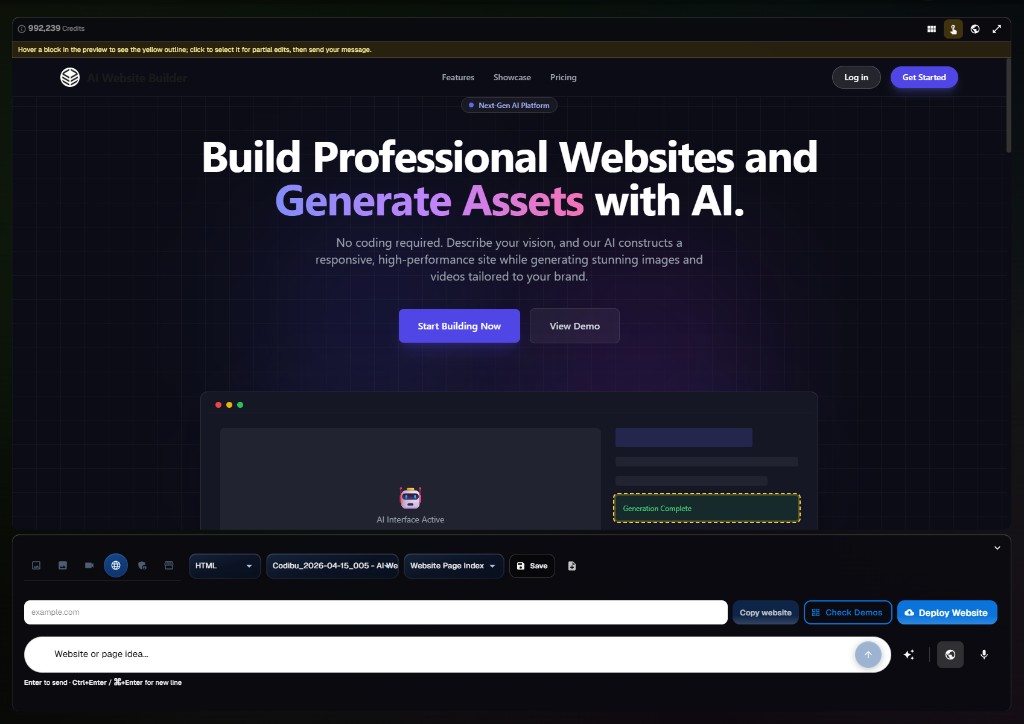
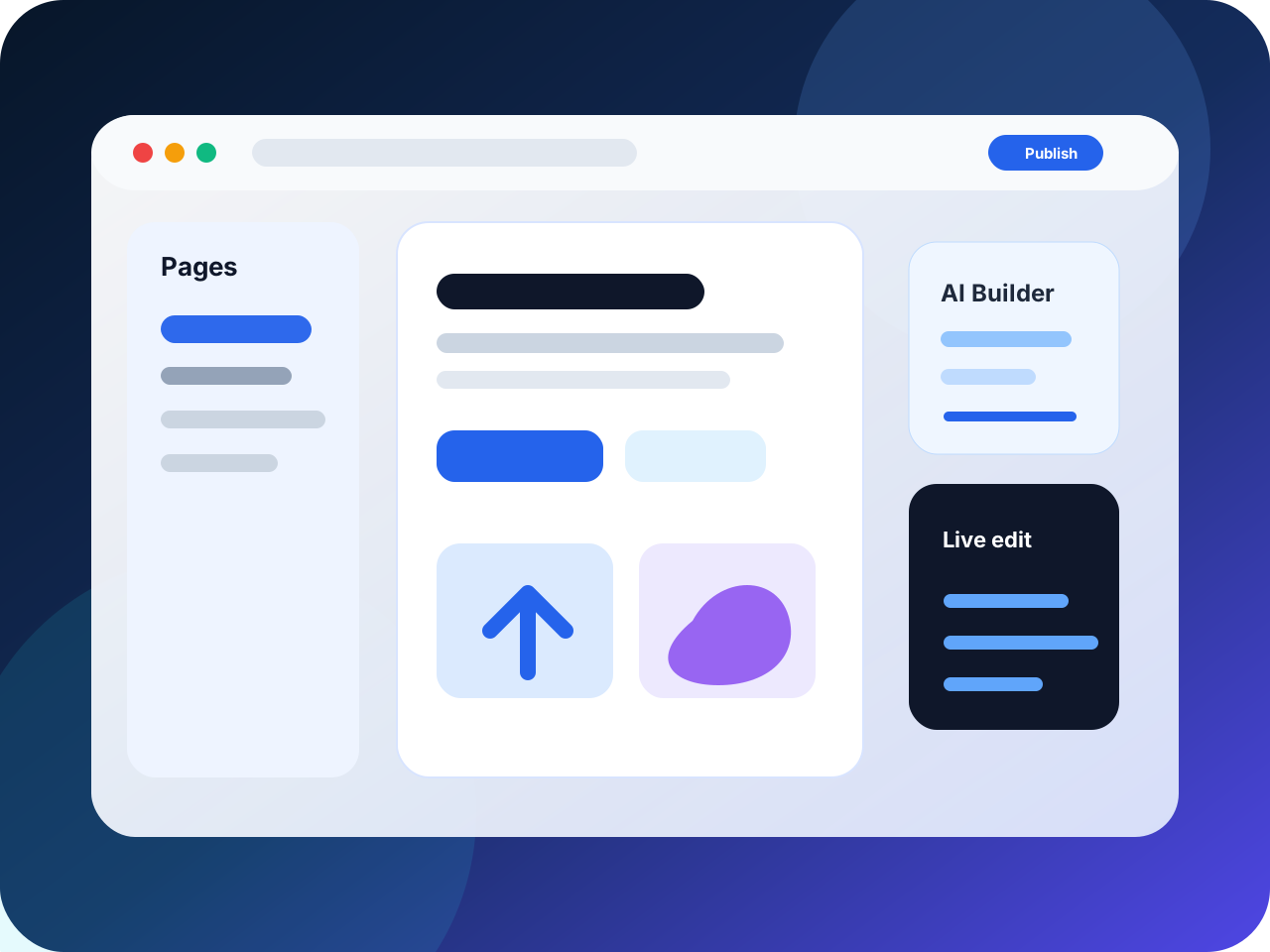
Describe your business in plain words or pick a template. Preview on phone and desktop, edit each section, then add domain and hosting when you want to go live.

A draft you can preview, edit, and publish—not a static mockup.
Responsive homepage
Hero, sections, and CTAs sized for phone and desktop preview.
Editable sections
Tune copy, images, and blocks in the website workspace.
SEO basics
Titles and descriptions for search and link previews.
Live preview links
Share draft previews before you connect a domain.
Publish options
Static HTML or WordPress—chosen when you are ready to go live.
Draft structure
Plan pages and sections in your workspace before publishing.
Preview before publishing
Review layout and copy — preview workflow is still improving.
Edit before launch
Change headlines, visuals, and project details anytime.
Hosting selected later
Choose hosting and launch options when you are ready — not bundled on day one.
Whether you start in AI Chat or a template, the same building blocks take you to publish:
Homepage
Hero, services, proof, and a clear call to action you can rewrite.
Section editing
Drag-and-drop blocks, swap images, and tune copy without redeploying code by hand.
Responsive preview
Check phone and desktop layouts before customers see them.
SEO basics
Page titles, descriptions, and share previews editable before launch.
Publish
Connect domain, turn on HTTPS, and go live from the same workspace.
1,000+ design styles—find your look
From minimalist Korean clinics to bold SaaS landings. Pick a style and AI fills your content.

Live preview
Local services
Commercial layout
Live preview
Clinic
Commercial layout
Live preview
Restaurant
Commercial layout

Live preview
Creative studio
Commercial layout
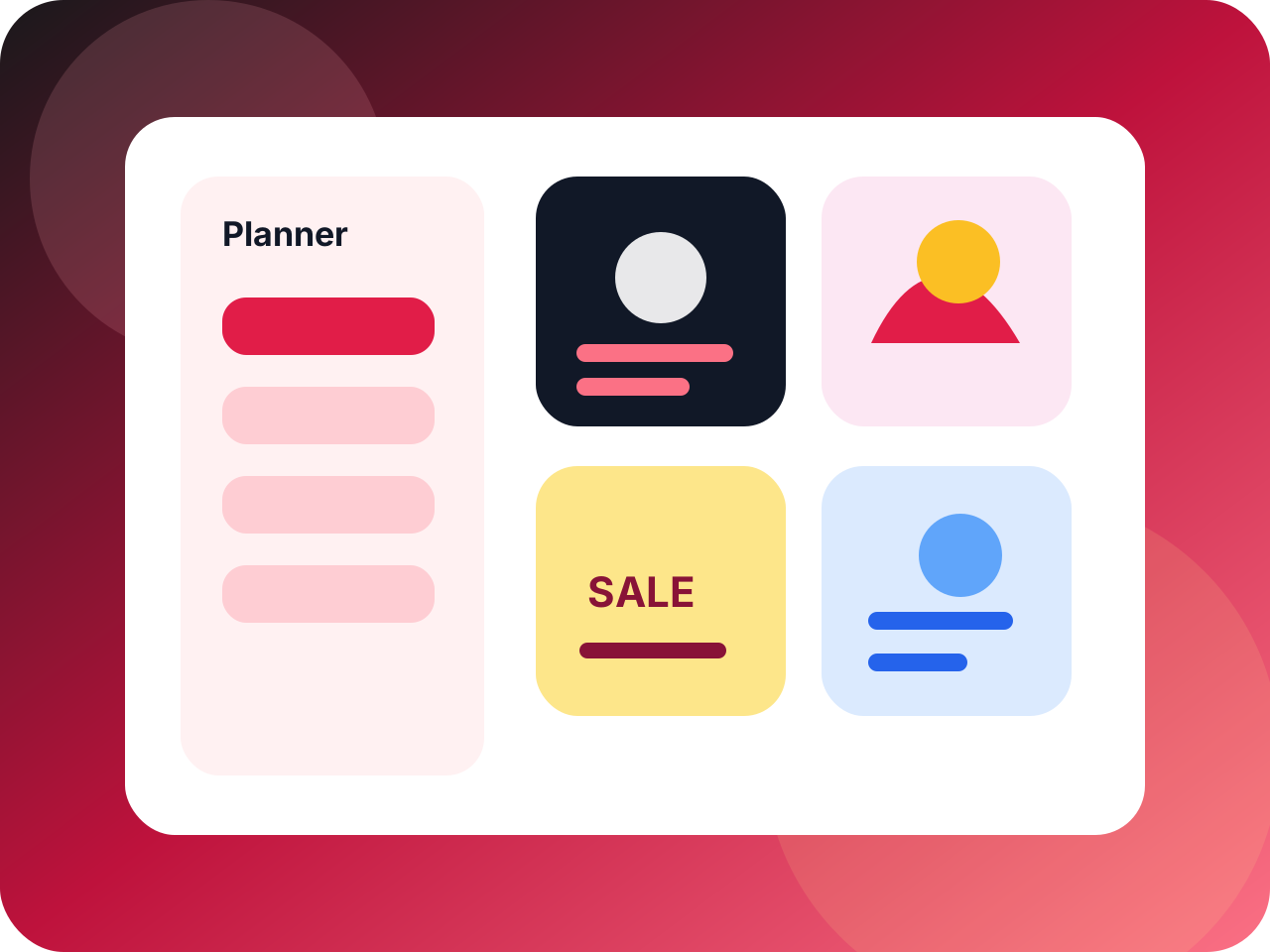
Live preview
SaaS
Commercial layout
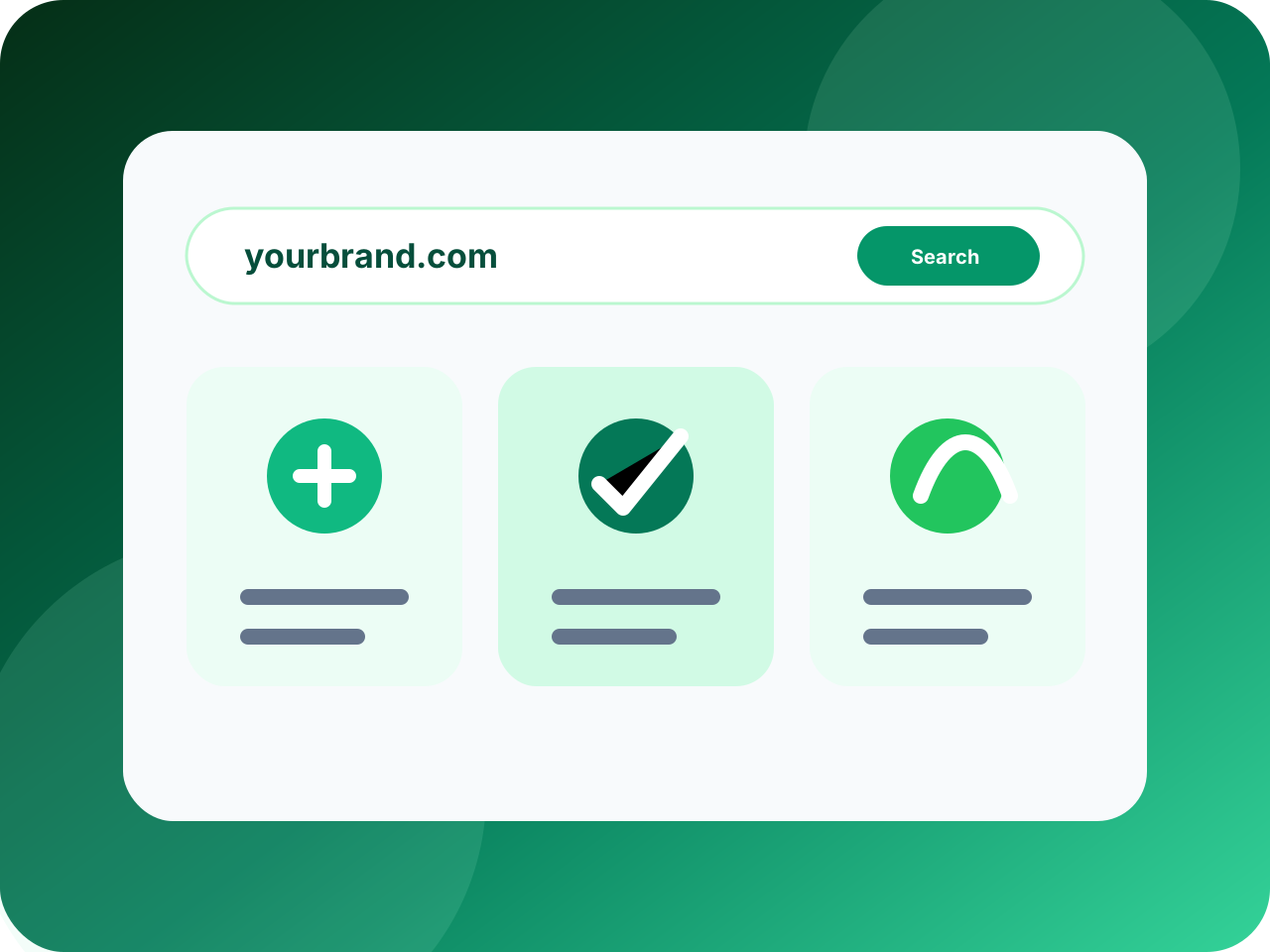
Live preview
Retail
Commercial layout
Four starts, same path to live:
Describe it in AI Chat
Tell us the business. Get layout and copy to edit.
Pick a template
700+ layouts. Swap sections and brand colors.
Bring your info
Paste services, area, proof, photos—the page shapes around it.
Preview before launch
Phone and desktop preview while you edit.
Service Landing Website Ad Page Types Intro
Homepage
Hero, services, trust signals, and one clear call to action.
Service page
Per-offering or per-area pages rank better in search and ads.
Campaign landing
Lightweight promo pages—no full site rebuild required.
Lead & contact
Short form or booking widget. Show your reply speed.
Blog (WordPress)
Content marketing with categories, tags, and RSS built in.
Menu & catalog
Dishes, products, or portfolio items—photo-driven layouts.
Built together—not bolted on later:
Page structure
Hero, proof, and buttons laid out for quick reading.
Website editor
Edit text and images with live preview.
Domain setup
Buy or connect a domain. DNS steps spelled out.
Hosting choice
Fast static HTML or managed WordPress—per site.
SEO fields
Titles and descriptions for search and link previews.
Site management
Reopen editor, hosting, and domain tools anytime.
Launch workflow
Review the site, connect the domain, verify hosting, and publish with a clear handoff.
Ready for production
01
Review page
Confirm layout, copy, mobile spacing, and CTA behavior before handoff.
Preview approved
02
Connect domain
Attach the chosen domain and prepare records for the production site.
DNS ready
03
Verify hosting
Check SSL, performance, analytics, and route health in one place.
Secure
04
Publish safely
Launch with a final checklist instead of a vague generated mockup.
Go live
Three outputs, one workspace. Static HTML ships the fastest brochure and landing pages. WordPress adds posts, plugins, and a CMS dashboard. Mobile apps live in App mode.
Fast brochure sites (static HTML)
Best when you need a polished services page or campaign landing with minimal upkeep—no WordPress dashboard to manage.
Content-heavy sites (managed WordPress)
Pick WordPress when you publish blogs, need plugins, or want the CMS your team already knows—not for a single-page brochure.
Mobile apps (iOS + Android)
Expo apps with an API backend—preview in chat, export source, and build with Expo Go or EAS.
Explore mobile appsNot sure? Start with HTML for a fast brochure. Move to WordPress when you post weekly or need CMS tools. Open App when customers need you on their phone.
When you're ready, take the next step.
When you want a real CMS — posts, categories, the WordPress block editor — Codibu hosts your site on managed infrastructure with curated themes, vetted plugins, and updates handled for you.
Menu

Signature Bowl
$16.50

Green Detox
$14.00

Spicy Tuna
$18.50

Mango Tango
$12.00

Dragon Roll
$22.00

Sashimi Set
$19.50
Themes, the block editor, plugins, content models, hosting, and multisite — all in one place.
hero
image
text
cta
Curated themes
Start from production-ready WordPress themes for restaurants, services, publishers, and portfolios — not a blank install.
Block editor (Gutenberg)
Edit pages and posts with blocks — text, images, columns, galleries, embeds. No code, full preview before publishing.
Vetted plugin starter packs
Pick from a short list of plugins for SEO, contact forms, bookings, WooCommerce, and analytics — already tested on our stack.
Posts, pages, custom content
Write blog posts, build evergreen pages, or define custom post types (services, properties, recipes) when plain pages aren't enough.
Managed hosting
We handle PHP, MySQL, backups, SSL, and core or plugin updates. You publish content; we keep the lights on.
Multisite for franchises
Run several locations or brands from one WordPress install — shared theme and plugins, separate content per site.
A good fit if you want a real CMS you can edit yourself instead of locking content behind a developer.
Restaurants and cafés
Menus, photo galleries, reservation links, and location pages from restaurant-ready themes — refresh items every season in the admin.
Local services
Clinics, salons, studios: service pages, hours, staff bios, a booking plugin, and a contact form on every page.
Bloggers and publishers
Posts, categories, tags, RSS, comments, and Yoast SEO — the workload WordPress was originally built for.
Portfolios and agencies
Case studies, image grids, client logos, and a contact-driven funnel — duplicate the pattern for each new client.
Multi-location or franchise
WordPress multisite lets you run several locations or brands from one admin — shared theme, separate content per site.
Auto HTTPS
99.9% uptime
Daily backup
DDoS shield
Global CDN
Core Web Vitals
Describe or choose
AI prompt or template—a draft that fits your offer.
Generate and preview
Live preview on phone and desktop.
Edit content and media
Tune copy, images, sections. Add pages.
Domain and hosting
Connect domain and hosting. Watch routing and SSL.
Launch and manage
Publish. Change copy when offers change.
I described my clinic and had services, hours, a map, and booking in minutes.
Dr. Ravi S.
Clinic owner
I can edit during a client call and show a live preview on the spot.
Nina K.
Freelance designer
We went from an 8-second WordPress load to under 2 on Codibu. Bounce dropped about a third.
Tony B.
Restaurant owner
No. You describe your business in AI Chat, and Codibu generates a full homepage draft you can edit—no HTML, no drag-and-drop puzzle.
Yes. Connect any domain you already own, or buy one through Codibu. We handle DNS and HTTPS automatically.
Static HTML loads fast and is ideal for brochure sites, landing pages, and single-page sites. Managed WordPress adds a CMS, blog, and plugin ecosystem—best if you publish content regularly.
Each website plan includes multiple pages. Add landing pages, service pages, lead forms, and blog posts as you need them.
Yes. Every Codibu layout is responsive—phone, tablet, and desktop previews update live as you edit.
Anytime. Open the editor, change text or images, and republish. Changes go live in seconds.
Turn this into a live project in your account.
Screens from the Codibu workspace — draft, review, and export states you will use in your project.

Draft workspace
Structure · copy · preview
Plan page sections and refine copy before anything goes live — beta workflow.

Review before launch
Draft-first
Preview and edit drafts in the workspace; hosting is selected when you are ready.
Describe your business in plain words or pick a template. Preview on phone and desktop, edit each section, then add domain and hosting when you want to go live.

A draft you can preview, edit, and publish—not a static mockup.
Responsive homepage
Hero, sections, and CTAs sized for phone and desktop preview.
Editable sections
Tune copy, images, and blocks in the website workspace.
SEO basics
Titles and descriptions for search and link previews.
Live preview links
Share draft previews before you connect a domain.
Publish options
Static HTML or WordPress—chosen when you are ready to go live.
Draft structure
Plan pages and sections in your workspace before publishing.
Preview before publishing
Review layout and copy — preview workflow is still improving.
Edit before launch
Change headlines, visuals, and project details anytime.
Hosting selected later
Choose hosting and launch options when you are ready — not bundled on day one.
Whether you start in AI Chat or a template, the same building blocks take you to publish:
Homepage
Hero, services, proof, and a clear call to action you can rewrite.
Section editing
Drag-and-drop blocks, swap images, and tune copy without redeploying code by hand.
Responsive preview
Check phone and desktop layouts before customers see them.
SEO basics
Page titles, descriptions, and share previews editable before launch.
Publish
Connect domain, turn on HTTPS, and go live from the same workspace.
1,000+ design styles—find your look
From minimalist Korean clinics to bold SaaS landings. Pick a style and AI fills your content.

Live preview
Local services
Commercial layout

Live preview
Clinic
Commercial layout

Live preview
Restaurant
Commercial layout

Live preview
Creative studio
Commercial layout

Live preview
SaaS
Commercial layout

Live preview
Retail
Commercial layout
Four starts, same path to live:
Describe it in AI Chat
Tell us the business. Get layout and copy to edit.
Pick a template
700+ layouts. Swap sections and brand colors.
Bring your info
Paste services, area, proof, photos—the page shapes around it.
Preview before launch
Phone and desktop preview while you edit.
Service Landing Website Ad Page Types Intro
Homepage
Hero, services, trust signals, and one clear call to action.
Service page
Per-offering or per-area pages rank better in search and ads.
Campaign landing
Lightweight promo pages—no full site rebuild required.
Lead & contact
Short form or booking widget. Show your reply speed.
Blog (WordPress)
Content marketing with categories, tags, and RSS built in.
Menu & catalog
Dishes, products, or portfolio items—photo-driven layouts.
Built together—not bolted on later:
Page structure
Hero, proof, and buttons laid out for quick reading.
Website editor
Edit text and images with live preview.
Domain setup
Buy or connect a domain. DNS steps spelled out.
Hosting choice
Fast static HTML or managed WordPress—per site.
SEO fields
Titles and descriptions for search and link previews.
Site management
Reopen editor, hosting, and domain tools anytime.
Launch workflow
Review the site, connect the domain, verify hosting, and publish with a clear handoff.
Ready for production
01
Review page
Confirm layout, copy, mobile spacing, and CTA behavior before handoff.
Preview approved
02
Connect domain
Attach the chosen domain and prepare records for the production site.
DNS ready
03
Verify hosting
Check SSL, performance, analytics, and route health in one place.
Secure
04
Publish safely
Launch with a final checklist instead of a vague generated mockup.
Go live
Three outputs, one workspace. Static HTML ships the fastest brochure and landing pages. WordPress adds posts, plugins, and a CMS dashboard. Mobile apps live in App mode.
Fast brochure sites (static HTML)
Best when you need a polished services page or campaign landing with minimal upkeep—no WordPress dashboard to manage.
Content-heavy sites (managed WordPress)
Pick WordPress when you publish blogs, need plugins, or want the CMS your team already knows—not for a single-page brochure.
Mobile apps (iOS + Android)
Expo apps with an API backend—preview in chat, export source, and build with Expo Go or EAS.
Explore mobile appsNot sure? Start with HTML for a fast brochure. Move to WordPress when you post weekly or need CMS tools. Open App when customers need you on their phone.
When you're ready, take the next step.
When you want a real CMS — posts, categories, the WordPress block editor — Codibu hosts your site on managed infrastructure with curated themes, vetted plugins, and updates handled for you.
Menu

Signature Bowl
$16.50

Green Detox
$14.00

Spicy Tuna
$18.50

Mango Tango
$12.00

Dragon Roll
$22.00

Sashimi Set
$19.50
Themes, the block editor, plugins, content models, hosting, and multisite — all in one place.
hero
image
text
cta
Curated themes
Start from production-ready WordPress themes for restaurants, services, publishers, and portfolios — not a blank install.
Block editor (Gutenberg)
Edit pages and posts with blocks — text, images, columns, galleries, embeds. No code, full preview before publishing.
Vetted plugin starter packs
Pick from a short list of plugins for SEO, contact forms, bookings, WooCommerce, and analytics — already tested on our stack.
Posts, pages, custom content
Write blog posts, build evergreen pages, or define custom post types (services, properties, recipes) when plain pages aren't enough.
Managed hosting
We handle PHP, MySQL, backups, SSL, and core or plugin updates. You publish content; we keep the lights on.
Multisite for franchises
Run several locations or brands from one WordPress install — shared theme and plugins, separate content per site.
A good fit if you want a real CMS you can edit yourself instead of locking content behind a developer.
Restaurants and cafés
Menus, photo galleries, reservation links, and location pages from restaurant-ready themes — refresh items every season in the admin.
Local services
Clinics, salons, studios: service pages, hours, staff bios, a booking plugin, and a contact form on every page.
Bloggers and publishers
Posts, categories, tags, RSS, comments, and Yoast SEO — the workload WordPress was originally built for.
Portfolios and agencies
Case studies, image grids, client logos, and a contact-driven funnel — duplicate the pattern for each new client.
Multi-location or franchise
WordPress multisite lets you run several locations or brands from one admin — shared theme, separate content per site.
Auto HTTPS
99.9% uptime
Daily backup
DDoS shield
Global CDN
Core Web Vitals
Describe or choose
AI prompt or template—a draft that fits your offer.
Generate and preview
Live preview on phone and desktop.
Edit content and media
Tune copy, images, sections. Add pages.
Domain and hosting
Connect domain and hosting. Watch routing and SSL.
Launch and manage
Publish. Change copy when offers change.
I described my clinic and had services, hours, a map, and booking in minutes.
Dr. Ravi S.
Clinic owner
I can edit during a client call and show a live preview on the spot.
Nina K.
Freelance designer
We went from an 8-second WordPress load to under 2 on Codibu. Bounce dropped about a third.
Tony B.
Restaurant owner
No. You describe your business in AI Chat, and Codibu generates a full homepage draft you can edit—no HTML, no drag-and-drop puzzle.
Yes. Connect any domain you already own, or buy one through Codibu. We handle DNS and HTTPS automatically.
Static HTML loads fast and is ideal for brochure sites, landing pages, and single-page sites. Managed WordPress adds a CMS, blog, and plugin ecosystem—best if you publish content regularly.
Each website plan includes multiple pages. Add landing pages, service pages, lead forms, and blog posts as you need them.
Yes. Every Codibu layout is responsive—phone, tablet, and desktop previews update live as you edit.
Anytime. Open the editor, change text or images, and republish. Changes go live in seconds.
Turn this into a live project in your account.
Screens from the Codibu workspace — draft, review, and export states you will use in your project.

Draft workspace
Structure · copy · preview
Plan page sections and refine copy before anything goes live — beta workflow.

Review before launch
Draft-first
Preview and edit drafts in the workspace; hosting is selected when you are ready.
Describe your business in plain words or pick a template. Preview on phone and desktop, edit each section, then add domain and hosting when you want to go live.

A draft you can preview, edit, and publish—not a static mockup.
Responsive homepage
Hero, sections, and CTAs sized for phone and desktop preview.
Editable sections
Tune copy, images, and blocks in the website workspace.
SEO basics
Titles and descriptions for search and link previews.
Live preview links
Share draft previews before you connect a domain.
Publish options
Static HTML or WordPress—chosen when you are ready to go live.
Draft structure
Plan pages and sections in your workspace before publishing.
Preview before publishing
Review layout and copy — preview workflow is still improving.
Edit before launch
Change headlines, visuals, and project details anytime.
Hosting selected later
Choose hosting and launch options when you are ready — not bundled on day one.
Whether you start in AI Chat or a template, the same building blocks take you to publish:
Homepage
Hero, services, proof, and a clear call to action you can rewrite.
Section editing
Drag-and-drop blocks, swap images, and tune copy without redeploying code by hand.
Responsive preview
Check phone and desktop layouts before customers see them.
SEO basics
Page titles, descriptions, and share previews editable before launch.
Publish
Connect domain, turn on HTTPS, and go live from the same workspace.
1,000+ design styles—find your look
From minimalist Korean clinics to bold SaaS landings. Pick a style and AI fills your content.

Live preview
Local services
Commercial layout

Live preview
Clinic
Commercial layout

Live preview
Restaurant
Commercial layout

Live preview
Creative studio
Commercial layout

Live preview
SaaS
Commercial layout

Live preview
Retail
Commercial layout
Four starts, same path to live:
Describe it in AI Chat
Tell us the business. Get layout and copy to edit.
Pick a template
700+ layouts. Swap sections and brand colors.
Bring your info
Paste services, area, proof, photos—the page shapes around it.
Preview before launch
Phone and desktop preview while you edit.
Service Landing Website Ad Page Types Intro
Homepage
Hero, services, trust signals, and one clear call to action.
Service page
Per-offering or per-area pages rank better in search and ads.
Campaign landing
Lightweight promo pages—no full site rebuild required.
Lead & contact
Short form or booking widget. Show your reply speed.
Blog (WordPress)
Content marketing with categories, tags, and RSS built in.
Menu & catalog
Dishes, products, or portfolio items—photo-driven layouts.
Built together—not bolted on later:
Page structure
Hero, proof, and buttons laid out for quick reading.
Website editor
Edit text and images with live preview.
Domain setup
Buy or connect a domain. DNS steps spelled out.
Hosting choice
Fast static HTML or managed WordPress—per site.
SEO fields
Titles and descriptions for search and link previews.
Site management
Reopen editor, hosting, and domain tools anytime.
Launch workflow
Review the site, connect the domain, verify hosting, and publish with a clear handoff.
Ready for production
01
Review page
Confirm layout, copy, mobile spacing, and CTA behavior before handoff.
Preview approved
02
Connect domain
Attach the chosen domain and prepare records for the production site.
DNS ready
03
Verify hosting
Check SSL, performance, analytics, and route health in one place.
Secure
04
Publish safely
Launch with a final checklist instead of a vague generated mockup.
Go live
Three outputs, one workspace. Static HTML ships the fastest brochure and landing pages. WordPress adds posts, plugins, and a CMS dashboard. Mobile apps live in App mode.
Fast brochure sites (static HTML)
Best when you need a polished services page or campaign landing with minimal upkeep—no WordPress dashboard to manage.
Content-heavy sites (managed WordPress)
Pick WordPress when you publish blogs, need plugins, or want the CMS your team already knows—not for a single-page brochure.
Mobile apps (iOS + Android)
Expo apps with an API backend—preview in chat, export source, and build with Expo Go or EAS.
Explore mobile appsNot sure? Start with HTML for a fast brochure. Move to WordPress when you post weekly or need CMS tools. Open App when customers need you on their phone.
When you're ready, take the next step.
When you want a real CMS — posts, categories, the WordPress block editor — Codibu hosts your site on managed infrastructure with curated themes, vetted plugins, and updates handled for you.
Menu

Signature Bowl
$16.50

Green Detox
$14.00

Spicy Tuna
$18.50

Mango Tango
$12.00

Dragon Roll
$22.00

Sashimi Set
$19.50
Themes, the block editor, plugins, content models, hosting, and multisite — all in one place.
hero
image
text
cta
Curated themes
Start from production-ready WordPress themes for restaurants, services, publishers, and portfolios — not a blank install.
Block editor (Gutenberg)
Edit pages and posts with blocks — text, images, columns, galleries, embeds. No code, full preview before publishing.
Vetted plugin starter packs
Pick from a short list of plugins for SEO, contact forms, bookings, WooCommerce, and analytics — already tested on our stack.
Posts, pages, custom content
Write blog posts, build evergreen pages, or define custom post types (services, properties, recipes) when plain pages aren't enough.
Managed hosting
We handle PHP, MySQL, backups, SSL, and core or plugin updates. You publish content; we keep the lights on.
Multisite for franchises
Run several locations or brands from one WordPress install — shared theme and plugins, separate content per site.
A good fit if you want a real CMS you can edit yourself instead of locking content behind a developer.
Restaurants and cafés
Menus, photo galleries, reservation links, and location pages from restaurant-ready themes — refresh items every season in the admin.
Local services
Clinics, salons, studios: service pages, hours, staff bios, a booking plugin, and a contact form on every page.
Bloggers and publishers
Posts, categories, tags, RSS, comments, and Yoast SEO — the workload WordPress was originally built for.
Portfolios and agencies
Case studies, image grids, client logos, and a contact-driven funnel — duplicate the pattern for each new client.
Multi-location or franchise
WordPress multisite lets you run several locations or brands from one admin — shared theme, separate content per site.
Auto HTTPS
99.9% uptime
Daily backup
DDoS shield
Global CDN
Core Web Vitals
Describe or choose
AI prompt or template—a draft that fits your offer.
Generate and preview
Live preview on phone and desktop.
Edit content and media
Tune copy, images, sections. Add pages.
Domain and hosting
Connect domain and hosting. Watch routing and SSL.
Launch and manage
Publish. Change copy when offers change.
I described my clinic and had services, hours, a map, and booking in minutes.
Dr. Ravi S.
Clinic owner
I can edit during a client call and show a live preview on the spot.
Nina K.
Freelance designer
We went from an 8-second WordPress load to under 2 on Codibu. Bounce dropped about a third.
Tony B.
Restaurant owner
No. You describe your business in AI Chat, and Codibu generates a full homepage draft you can edit—no HTML, no drag-and-drop puzzle.
Yes. Connect any domain you already own, or buy one through Codibu. We handle DNS and HTTPS automatically.
Static HTML loads fast and is ideal for brochure sites, landing pages, and single-page sites. Managed WordPress adds a CMS, blog, and plugin ecosystem—best if you publish content regularly.
Each website plan includes multiple pages. Add landing pages, service pages, lead forms, and blog posts as you need them.
Yes. Every Codibu layout is responsive—phone, tablet, and desktop previews update live as you edit.
Anytime. Open the editor, change text or images, and republish. Changes go live in seconds.
Turn this into a live project in your account.
Screens from the Codibu workspace — draft, review, and export states you will use in your project.

Draft workspace
Structure · copy · preview
Plan page sections and refine copy before anything goes live — beta workflow.

Review before launch
Draft-first
Preview and edit drafts in the workspace; hosting is selected when you are ready.
Describe your business in plain words or pick a template. Preview on phone and desktop, edit each section, then add domain and hosting when you want to go live.

A draft you can preview, edit, and publish—not a static mockup.
Responsive homepage
Hero, sections, and CTAs sized for phone and desktop preview.
Editable sections
Tune copy, images, and blocks in the website workspace.
SEO basics
Titles and descriptions for search and link previews.
Live preview links
Share draft previews before you connect a domain.
Publish options
Static HTML or WordPress—chosen when you are ready to go live.
Draft structure
Plan pages and sections in your workspace before publishing.
Preview before publishing
Review layout and copy — preview workflow is still improving.
Edit before launch
Change headlines, visuals, and project details anytime.
Hosting selected later
Choose hosting and launch options when you are ready — not bundled on day one.
Whether you start in AI Chat or a template, the same building blocks take you to publish:
Homepage
Hero, services, proof, and a clear call to action you can rewrite.
Section editing
Drag-and-drop blocks, swap images, and tune copy without redeploying code by hand.
Responsive preview
Check phone and desktop layouts before customers see them.
SEO basics
Page titles, descriptions, and share previews editable before launch.
Publish
Connect domain, turn on HTTPS, and go live from the same workspace.
1,000+ design styles—find your look
From minimalist Korean clinics to bold SaaS landings. Pick a style and AI fills your content.

Live preview
Local services
Commercial layout

Live preview
Clinic
Commercial layout

Live preview
Restaurant
Commercial layout

Live preview
Creative studio
Commercial layout

Live preview
SaaS
Commercial layout

Live preview
Retail
Commercial layout
Four starts, same path to live:
Describe it in AI Chat
Tell us the business. Get layout and copy to edit.
Pick a template
700+ layouts. Swap sections and brand colors.
Bring your info
Paste services, area, proof, photos—the page shapes around it.
Preview before launch
Phone and desktop preview while you edit.
Service Landing Website Ad Page Types Intro
Homepage
Hero, services, trust signals, and one clear call to action.
Service page
Per-offering or per-area pages rank better in search and ads.
Campaign landing
Lightweight promo pages—no full site rebuild required.
Lead & contact
Short form or booking widget. Show your reply speed.
Blog (WordPress)
Content marketing with categories, tags, and RSS built in.
Menu & catalog
Dishes, products, or portfolio items—photo-driven layouts.
Built together—not bolted on later:
Page structure
Hero, proof, and buttons laid out for quick reading.
Website editor
Edit text and images with live preview.
Domain setup
Buy or connect a domain. DNS steps spelled out.
Hosting choice
Fast static HTML or managed WordPress—per site.
SEO fields
Titles and descriptions for search and link previews.
Site management
Reopen editor, hosting, and domain tools anytime.
Launch workflow
Review the site, connect the domain, verify hosting, and publish with a clear handoff.
Ready for production
01
Review page
Confirm layout, copy, mobile spacing, and CTA behavior before handoff.
Preview approved
02
Connect domain
Attach the chosen domain and prepare records for the production site.
DNS ready
03
Verify hosting
Check SSL, performance, analytics, and route health in one place.
Secure
04
Publish safely
Launch with a final checklist instead of a vague generated mockup.
Go live
Three outputs, one workspace. Static HTML ships the fastest brochure and landing pages. WordPress adds posts, plugins, and a CMS dashboard. Mobile apps live in App mode.
Fast brochure sites (static HTML)
Best when you need a polished services page or campaign landing with minimal upkeep—no WordPress dashboard to manage.
Content-heavy sites (managed WordPress)
Pick WordPress when you publish blogs, need plugins, or want the CMS your team already knows—not for a single-page brochure.
Mobile apps (iOS + Android)
Expo apps with an API backend—preview in chat, export source, and build with Expo Go or EAS.
Explore mobile appsNot sure? Start with HTML for a fast brochure. Move to WordPress when you post weekly or need CMS tools. Open App when customers need you on their phone.
When you're ready, take the next step.
When you want a real CMS — posts, categories, the WordPress block editor — Codibu hosts your site on managed infrastructure with curated themes, vetted plugins, and updates handled for you.
Menu

Signature Bowl
$16.50

Green Detox
$14.00

Spicy Tuna
$18.50

Mango Tango
$12.00

Dragon Roll
$22.00

Sashimi Set
$19.50
Themes, the block editor, plugins, content models, hosting, and multisite — all in one place.
hero
image
text
cta
Curated themes
Start from production-ready WordPress themes for restaurants, services, publishers, and portfolios — not a blank install.
Block editor (Gutenberg)
Edit pages and posts with blocks — text, images, columns, galleries, embeds. No code, full preview before publishing.
Vetted plugin starter packs
Pick from a short list of plugins for SEO, contact forms, bookings, WooCommerce, and analytics — already tested on our stack.
Posts, pages, custom content
Write blog posts, build evergreen pages, or define custom post types (services, properties, recipes) when plain pages aren't enough.
Managed hosting
We handle PHP, MySQL, backups, SSL, and core or plugin updates. You publish content; we keep the lights on.
Multisite for franchises
Run several locations or brands from one WordPress install — shared theme and plugins, separate content per site.
A good fit if you want a real CMS you can edit yourself instead of locking content behind a developer.
Restaurants and cafés
Menus, photo galleries, reservation links, and location pages from restaurant-ready themes — refresh items every season in the admin.
Local services
Clinics, salons, studios: service pages, hours, staff bios, a booking plugin, and a contact form on every page.
Bloggers and publishers
Posts, categories, tags, RSS, comments, and Yoast SEO — the workload WordPress was originally built for.
Portfolios and agencies
Case studies, image grids, client logos, and a contact-driven funnel — duplicate the pattern for each new client.
Multi-location or franchise
WordPress multisite lets you run several locations or brands from one admin — shared theme, separate content per site.
Auto HTTPS
99.9% uptime
Daily backup
DDoS shield
Global CDN
Core Web Vitals
Describe or choose
AI prompt or template—a draft that fits your offer.
Generate and preview
Live preview on phone and desktop.
Edit content and media
Tune copy, images, sections. Add pages.
Domain and hosting
Connect domain and hosting. Watch routing and SSL.
Launch and manage
Publish. Change copy when offers change.
I described my clinic and had services, hours, a map, and booking in minutes.
Dr. Ravi S.
Clinic owner
I can edit during a client call and show a live preview on the spot.
Nina K.
Freelance designer
We went from an 8-second WordPress load to under 2 on Codibu. Bounce dropped about a third.
Tony B.
Restaurant owner
No. You describe your business in AI Chat, and Codibu generates a full homepage draft you can edit—no HTML, no drag-and-drop puzzle.
Yes. Connect any domain you already own, or buy one through Codibu. We handle DNS and HTTPS automatically.
Static HTML loads fast and is ideal for brochure sites, landing pages, and single-page sites. Managed WordPress adds a CMS, blog, and plugin ecosystem—best if you publish content regularly.
Each website plan includes multiple pages. Add landing pages, service pages, lead forms, and blog posts as you need them.
Yes. Every Codibu layout is responsive—phone, tablet, and desktop previews update live as you edit.
Anytime. Open the editor, change text or images, and republish. Changes go live in seconds.
Turn this into a live project in your account.
Screens from the Codibu workspace — draft, review, and export states you will use in your project.

Draft workspace
Structure · copy · preview
Plan page sections and refine copy before anything goes live — beta workflow.

Review before launch
Draft-first
Preview and edit drafts in the workspace; hosting is selected when you are ready.
Describe your business in plain words or pick a template. Preview on phone and desktop, edit each section, then add domain and hosting when you want to go live.

A draft you can preview, edit, and publish—not a static mockup.
Responsive homepage
Hero, sections, and CTAs sized for phone and desktop preview.
Editable sections
Tune copy, images, and blocks in the website workspace.
SEO basics
Titles and descriptions for search and link previews.
Live preview links
Share draft previews before you connect a domain.
Publish options
Static HTML or WordPress—chosen when you are ready to go live.
Draft structure
Plan pages and sections in your workspace before publishing.
Preview before publishing
Review layout and copy — preview workflow is still improving.
Edit before launch
Change headlines, visuals, and project details anytime.
Hosting selected later
Choose hosting and launch options when you are ready — not bundled on day one.
Whether you start in AI Chat or a template, the same building blocks take you to publish:
Homepage
Hero, services, proof, and a clear call to action you can rewrite.
Section editing
Drag-and-drop blocks, swap images, and tune copy without redeploying code by hand.
Responsive preview
Check phone and desktop layouts before customers see them.
SEO basics
Page titles, descriptions, and share previews editable before launch.
Publish
Connect domain, turn on HTTPS, and go live from the same workspace.
1,000+ design styles—find your look
From minimalist Korean clinics to bold SaaS landings. Pick a style and AI fills your content.

Live preview
Local services
Commercial layout

Live preview
Clinic
Commercial layout

Live preview
Restaurant
Commercial layout

Live preview
Creative studio
Commercial layout

Live preview
SaaS
Commercial layout

Live preview
Retail
Commercial layout
Four starts, same path to live:
Describe it in AI Chat
Tell us the business. Get layout and copy to edit.
Pick a template
700+ layouts. Swap sections and brand colors.
Bring your info
Paste services, area, proof, photos—the page shapes around it.
Preview before launch
Phone and desktop preview while you edit.
Service Landing Website Ad Page Types Intro
Homepage
Hero, services, trust signals, and one clear call to action.
Service page
Per-offering or per-area pages rank better in search and ads.
Campaign landing
Lightweight promo pages—no full site rebuild required.
Lead & contact
Short form or booking widget. Show your reply speed.
Blog (WordPress)
Content marketing with categories, tags, and RSS built in.
Menu & catalog
Dishes, products, or portfolio items—photo-driven layouts.
Built together—not bolted on later:
Page structure
Hero, proof, and buttons laid out for quick reading.
Website editor
Edit text and images with live preview.
Domain setup
Buy or connect a domain. DNS steps spelled out.
Hosting choice
Fast static HTML or managed WordPress—per site.
SEO fields
Titles and descriptions for search and link previews.
Site management
Reopen editor, hosting, and domain tools anytime.
Launch workflow
Review the site, connect the domain, verify hosting, and publish with a clear handoff.
Ready for production
01
Review page
Confirm layout, copy, mobile spacing, and CTA behavior before handoff.
Preview approved
02
Connect domain
Attach the chosen domain and prepare records for the production site.
DNS ready
03
Verify hosting
Check SSL, performance, analytics, and route health in one place.
Secure
04
Publish safely
Launch with a final checklist instead of a vague generated mockup.
Go live
Three outputs, one workspace. Static HTML ships the fastest brochure and landing pages. WordPress adds posts, plugins, and a CMS dashboard. Mobile apps live in App mode.
Fast brochure sites (static HTML)
Best when you need a polished services page or campaign landing with minimal upkeep—no WordPress dashboard to manage.
Content-heavy sites (managed WordPress)
Pick WordPress when you publish blogs, need plugins, or want the CMS your team already knows—not for a single-page brochure.
Mobile apps (iOS + Android)
Expo apps with an API backend—preview in chat, export source, and build with Expo Go or EAS.
Explore mobile appsNot sure? Start with HTML for a fast brochure. Move to WordPress when you post weekly or need CMS tools. Open App when customers need you on their phone.
When you're ready, take the next step.
When you want a real CMS — posts, categories, the WordPress block editor — Codibu hosts your site on managed infrastructure with curated themes, vetted plugins, and updates handled for you.
Menu

Signature Bowl
$16.50

Green Detox
$14.00

Spicy Tuna
$18.50

Mango Tango
$12.00

Dragon Roll
$22.00

Sashimi Set
$19.50
Themes, the block editor, plugins, content models, hosting, and multisite — all in one place.
hero
image
text
cta
Curated themes
Start from production-ready WordPress themes for restaurants, services, publishers, and portfolios — not a blank install.
Block editor (Gutenberg)
Edit pages and posts with blocks — text, images, columns, galleries, embeds. No code, full preview before publishing.
Vetted plugin starter packs
Pick from a short list of plugins for SEO, contact forms, bookings, WooCommerce, and analytics — already tested on our stack.
Posts, pages, custom content
Write blog posts, build evergreen pages, or define custom post types (services, properties, recipes) when plain pages aren't enough.
Managed hosting
We handle PHP, MySQL, backups, SSL, and core or plugin updates. You publish content; we keep the lights on.
Multisite for franchises
Run several locations or brands from one WordPress install — shared theme and plugins, separate content per site.
A good fit if you want a real CMS you can edit yourself instead of locking content behind a developer.
Restaurants and cafés
Menus, photo galleries, reservation links, and location pages from restaurant-ready themes — refresh items every season in the admin.
Local services
Clinics, salons, studios: service pages, hours, staff bios, a booking plugin, and a contact form on every page.
Bloggers and publishers
Posts, categories, tags, RSS, comments, and Yoast SEO — the workload WordPress was originally built for.
Portfolios and agencies
Case studies, image grids, client logos, and a contact-driven funnel — duplicate the pattern for each new client.
Multi-location or franchise
WordPress multisite lets you run several locations or brands from one admin — shared theme, separate content per site.
Auto HTTPS
99.9% uptime
Daily backup
DDoS shield
Global CDN
Core Web Vitals
Describe or choose
AI prompt or template—a draft that fits your offer.
Generate and preview
Live preview on phone and desktop.
Edit content and media
Tune copy, images, sections. Add pages.
Domain and hosting
Connect domain and hosting. Watch routing and SSL.
Launch and manage
Publish. Change copy when offers change.
I described my clinic and had services, hours, a map, and booking in minutes.
Dr. Ravi S.
Clinic owner
I can edit during a client call and show a live preview on the spot.
Nina K.
Freelance designer
We went from an 8-second WordPress load to under 2 on Codibu. Bounce dropped about a third.
Tony B.
Restaurant owner
No. You describe your business in AI Chat, and Codibu generates a full homepage draft you can edit—no HTML, no drag-and-drop puzzle.
Yes. Connect any domain you already own, or buy one through Codibu. We handle DNS and HTTPS automatically.
Static HTML loads fast and is ideal for brochure sites, landing pages, and single-page sites. Managed WordPress adds a CMS, blog, and plugin ecosystem—best if you publish content regularly.
Each website plan includes multiple pages. Add landing pages, service pages, lead forms, and blog posts as you need them.
Yes. Every Codibu layout is responsive—phone, tablet, and desktop previews update live as you edit.
Anytime. Open the editor, change text or images, and republish. Changes go live in seconds.
Turn this into a live project in your account.
Screens from the Codibu workspace — draft, review, and export states you will use in your project.

Draft workspace
Structure · copy · preview
Plan page sections and refine copy before anything goes live — beta workflow.

Review before launch
Draft-first
Preview and edit drafts in the workspace; hosting is selected when you are ready.
Describe your business in plain words or pick a template. Preview on phone and desktop, edit each section, then add domain and hosting when you want to go live.

A draft you can preview, edit, and publish—not a static mockup.
Responsive homepage
Hero, sections, and CTAs sized for phone and desktop preview.
Editable sections
Tune copy, images, and blocks in the website workspace.
SEO basics
Titles and descriptions for search and link previews.
Live preview links
Share draft previews before you connect a domain.
Publish options
Static HTML or WordPress—chosen when you are ready to go live.
Draft structure
Plan pages and sections in your workspace before publishing.
Preview before publishing
Review layout and copy — preview workflow is still improving.
Edit before launch
Change headlines, visuals, and project details anytime.
Hosting selected later
Choose hosting and launch options when you are ready — not bundled on day one.
Whether you start in AI Chat or a template, the same building blocks take you to publish:
Homepage
Hero, services, proof, and a clear call to action you can rewrite.
Section editing
Drag-and-drop blocks, swap images, and tune copy without redeploying code by hand.
Responsive preview
Check phone and desktop layouts before customers see them.
SEO basics
Page titles, descriptions, and share previews editable before launch.
Publish
Connect domain, turn on HTTPS, and go live from the same workspace.
1,000+ design styles—find your look
From minimalist Korean clinics to bold SaaS landings. Pick a style and AI fills your content.

Live preview
Local services
Commercial layout

Live preview
Clinic
Commercial layout

Live preview
Restaurant
Commercial layout

Live preview
Creative studio
Commercial layout

Live preview
SaaS
Commercial layout

Live preview
Retail
Commercial layout
Four starts, same path to live:
Describe it in AI Chat
Tell us the business. Get layout and copy to edit.
Pick a template
700+ layouts. Swap sections and brand colors.
Bring your info
Paste services, area, proof, photos—the page shapes around it.
Preview before launch
Phone and desktop preview while you edit.
Service Landing Website Ad Page Types Intro
Homepage
Hero, services, trust signals, and one clear call to action.
Service page
Per-offering or per-area pages rank better in search and ads.
Campaign landing
Lightweight promo pages—no full site rebuild required.
Lead & contact
Short form or booking widget. Show your reply speed.
Blog (WordPress)
Content marketing with categories, tags, and RSS built in.
Menu & catalog
Dishes, products, or portfolio items—photo-driven layouts.
Built together—not bolted on later:
Page structure
Hero, proof, and buttons laid out for quick reading.
Website editor
Edit text and images with live preview.
Domain setup
Buy or connect a domain. DNS steps spelled out.
Hosting choice
Fast static HTML or managed WordPress—per site.
SEO fields
Titles and descriptions for search and link previews.
Site management
Reopen editor, hosting, and domain tools anytime.
Launch workflow
Review the site, connect the domain, verify hosting, and publish with a clear handoff.
Ready for production
01
Review page
Confirm layout, copy, mobile spacing, and CTA behavior before handoff.
Preview approved
02
Connect domain
Attach the chosen domain and prepare records for the production site.
DNS ready
03
Verify hosting
Check SSL, performance, analytics, and route health in one place.
Secure
04
Publish safely
Launch with a final checklist instead of a vague generated mockup.
Go live
Three outputs, one workspace. Static HTML ships the fastest brochure and landing pages. WordPress adds posts, plugins, and a CMS dashboard. Mobile apps live in App mode.
Fast brochure sites (static HTML)
Best when you need a polished services page or campaign landing with minimal upkeep—no WordPress dashboard to manage.
Content-heavy sites (managed WordPress)
Pick WordPress when you publish blogs, need plugins, or want the CMS your team already knows—not for a single-page brochure.
Mobile apps (iOS + Android)
Expo apps with an API backend—preview in chat, export source, and build with Expo Go or EAS.
Explore mobile appsNot sure? Start with HTML for a fast brochure. Move to WordPress when you post weekly or need CMS tools. Open App when customers need you on their phone.
When you're ready, take the next step.
When you want a real CMS — posts, categories, the WordPress block editor — Codibu hosts your site on managed infrastructure with curated themes, vetted plugins, and updates handled for you.
Menu

Signature Bowl
$16.50

Green Detox
$14.00

Spicy Tuna
$18.50

Mango Tango
$12.00

Dragon Roll
$22.00

Sashimi Set
$19.50
Themes, the block editor, plugins, content models, hosting, and multisite — all in one place.
hero
image
text
cta
Curated themes
Start from production-ready WordPress themes for restaurants, services, publishers, and portfolios — not a blank install.
Block editor (Gutenberg)
Edit pages and posts with blocks — text, images, columns, galleries, embeds. No code, full preview before publishing.
Vetted plugin starter packs
Pick from a short list of plugins for SEO, contact forms, bookings, WooCommerce, and analytics — already tested on our stack.
Posts, pages, custom content
Write blog posts, build evergreen pages, or define custom post types (services, properties, recipes) when plain pages aren't enough.
Managed hosting
We handle PHP, MySQL, backups, SSL, and core or plugin updates. You publish content; we keep the lights on.
Multisite for franchises
Run several locations or brands from one WordPress install — shared theme and plugins, separate content per site.
A good fit if you want a real CMS you can edit yourself instead of locking content behind a developer.
Restaurants and cafés
Menus, photo galleries, reservation links, and location pages from restaurant-ready themes — refresh items every season in the admin.
Local services
Clinics, salons, studios: service pages, hours, staff bios, a booking plugin, and a contact form on every page.
Bloggers and publishers
Posts, categories, tags, RSS, comments, and Yoast SEO — the workload WordPress was originally built for.
Portfolios and agencies
Case studies, image grids, client logos, and a contact-driven funnel — duplicate the pattern for each new client.
Multi-location or franchise
WordPress multisite lets you run several locations or brands from one admin — shared theme, separate content per site.
Auto HTTPS
99.9% uptime
Daily backup
DDoS shield
Global CDN
Core Web Vitals
Describe or choose
AI prompt or template—a draft that fits your offer.
Generate and preview
Live preview on phone and desktop.
Edit content and media
Tune copy, images, sections. Add pages.
Domain and hosting
Connect domain and hosting. Watch routing and SSL.
Launch and manage
Publish. Change copy when offers change.
I described my clinic and had services, hours, a map, and booking in minutes.
Dr. Ravi S.
Clinic owner
I can edit during a client call and show a live preview on the spot.
Nina K.
Freelance designer
We went from an 8-second WordPress load to under 2 on Codibu. Bounce dropped about a third.
Tony B.
Restaurant owner
No. You describe your business in AI Chat, and Codibu generates a full homepage draft you can edit—no HTML, no drag-and-drop puzzle.
Yes. Connect any domain you already own, or buy one through Codibu. We handle DNS and HTTPS automatically.
Static HTML loads fast and is ideal for brochure sites, landing pages, and single-page sites. Managed WordPress adds a CMS, blog, and plugin ecosystem—best if you publish content regularly.
Each website plan includes multiple pages. Add landing pages, service pages, lead forms, and blog posts as you need them.
Yes. Every Codibu layout is responsive—phone, tablet, and desktop previews update live as you edit.
Anytime. Open the editor, change text or images, and republish. Changes go live in seconds.
Turn this into a live project in your account.
Screens from the Codibu workspace — draft, review, and export states you will use in your project.

Draft workspace
Structure · copy · preview
Plan page sections and refine copy before anything goes live — beta workflow.

Review before launch
Draft-first
Preview and edit drafts in the workspace; hosting is selected when you are ready.